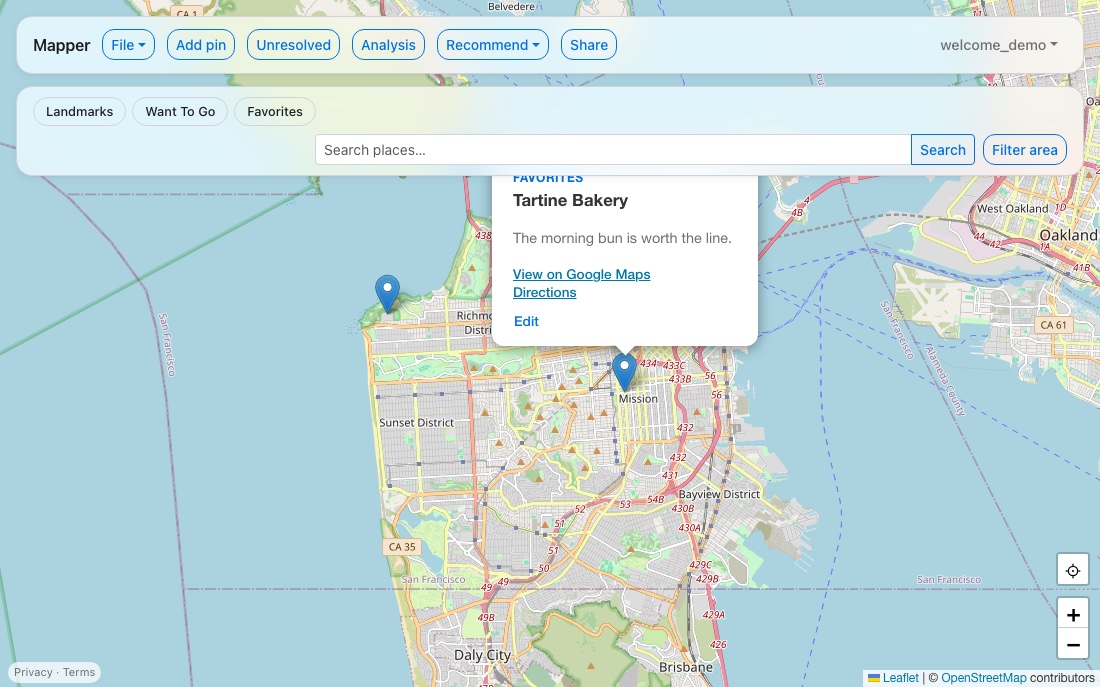
Your saved places.
Finally yours.
Google Maps has no export button for the places you've starred and saved. Mapper pulls them out with a Google Takeout export and gives you your own map — no ads, no tracking, no password to remember.
Create your passkeyHow it works
-
Export from Google Takeout
At takeout.google.com, deselect everything except your saved Maps places, and request an export. Google emails you a link once it's ready.
-
Upload the zip
Sign in, click Import Takeout, and choose the file Google sent you. No need to unzip it first.
-
Your pins appear on your map
Every place you'd saved shows up, organized by the lists you already made — ready to browse, edit, or add to.
Everything you need
Import from Google Takeout
Bring in everything you've already saved, in one upload — no manual re-entry.
Add, edit, delete
It's your map now — change anything, any time, right from the map itself.
Fix anything that didn't import cleanly
A handful of places sometimes can't be placed automatically — search and place them by hand, or let auto-resolve handle the easy ones for you.
Automatic Google Maps links
Every pin gets a real link to the actual establishment, resolved for you if your import didn't already have one.
Discover nearby places
Zoom into a neighborhood and see real places around you — tap one to pin it instantly.
Category filters
Group your places however you already organized them, and filter down to just what you want to see.
Search this area
Pan and zoom to a neighborhood or city, then narrow your pins to exactly what's on screen.
Find yourself, get directions
See exactly where you are on the map, and get real turn-by-turn directions to any pin.
AI-powered recommendations
Get new places worth pinning, grounded in real Google Places data and ranked against your own taste — never invented.
See your pins in aggregate
A breakdown by category, country, and geographic cluster, plus a word cloud built from your own notes.
Share a read-only map
Turn on a link that lets anyone view your pins — no account required, and you can turn it off any time.
Built differently
- No ads, ever. This is a passion project, not a business.
- Passkeys, not passwords. Face ID, Touch ID, Windows Hello, or a security key — nothing to remember, nothing to leak. Add a backup passkey any time, so a lost device is never a locked-out account.
- Your data, not a product. No trackers, no analytics, no third-party ad platforms.
- Free, open mapping. Built on OpenStreetMap, not a paid API that profits from where you've been.
See it in action